Introduction
PL/SQL (Procedural Language/SQL) is Oracle’s powerful extension to SQL that enables developers to create robust, secure, and high-performance database applications. It combines the data manipulation capabilities of SQL with procedural programming features such as loops, conditions, variables, and exception handling.
PL/SQL is widely used in Oracle Database, Oracle APEX, Oracle EBS, and Oracle Fusion applications.
What is PL/SQL?
PL/SQL stands for Procedural Language Structured Query Language. It allows developers to write programs that run directly inside the Oracle Database.
With PL/SQL, developers can:
- Create business logic
- Process large amounts of data
- Improve application performance
- Implement validations
- Handle exceptions
- Build reusable database components
Why Use PL/SQL?
Better Performance
PL/SQL executes directly within the Oracle Database, reducing network traffic between applications and the database.
Enhanced Security
Business rules and validations can be stored securely in database objects.
Reusability
Procedures, functions, and packages can be reused across multiple applications.
Integration
PL/SQL integrates seamlessly with Oracle APEX, Oracle EBS, and Oracle Fusion applications.
Structure of a PL/SQL Block
A PL/SQL block consists of three sections:
DECLARE
   v_name VARCHAR2(100);

BEGIN
   v_name := 'Tech Talk Bytes';
   DBMS_OUTPUT.PUT_LINE(v_name);

EXCEPTION
   WHEN OTHERS THEN
      DBMS_OUTPUT.PUT_LINE(SQLERRM);
END;
/
Variables in PL/SQL
Variables store data temporarily during program execution.
DECLARE
   v_employee_name VARCHAR2(100);
   v_salary NUMBER;
BEGIN
   NULL;
END;
/
Conditional Statements
IF Statement
DECLARE
   v_score NUMBER := 85;
BEGIN
   IF v_score >= 50 THEN
      DBMS_OUTPUT.PUT_LINE('PASS');
   ELSE
      DBMS_OUTPUT.PUT_LINE('FAIL');
   END IF;
END;
/
Loops in PL/SQL
FOR Loop
BEGIN
   FOR i IN 1..5 LOOP
      DBMS_OUTPUT.PUT_LINE(i);
   END LOOP;
END;
/
WHILE Loop
DECLARE
   v_count NUMBER := 1;
BEGIN
   WHILE v_count <= 5 LOOP
      DBMS_OUTPUT.PUT_LINE(v_count);
      v_count := v_count + 1;
   END LOOP;
END;
/
PL/SQL Procedures
Procedures perform specific business operations.
CREATE OR REPLACE PROCEDURE get_employee
IS
BEGIN
   DBMS_OUTPUT.PUT_LINE('Employee Retrieved');
END;
/
Benefits:
- Reusable code
- Better maintenance
- Improved performance
PL/SQL Functions
Functions return a value.
CREATE OR REPLACE FUNCTION get_bonus
(
   p_salary NUMBER
)
RETURN NUMBER
IS
BEGIN
   RETURN p_salary * 0.10;
END;
/
PL/SQL Packages
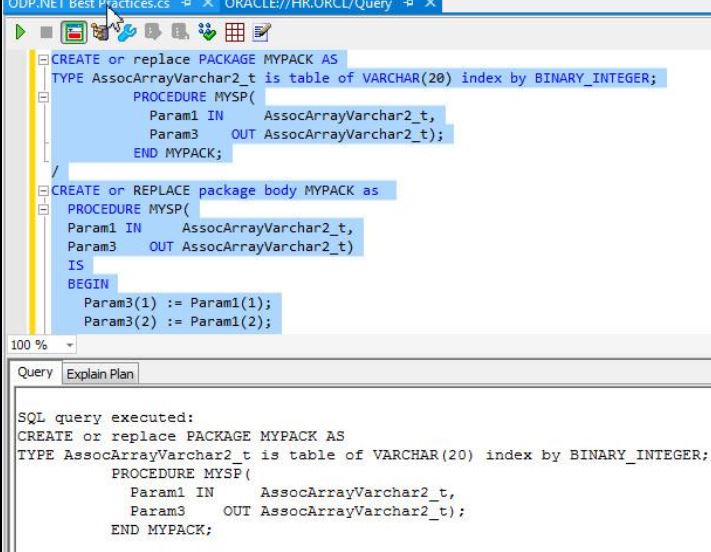
Packages group related procedures, functions, variables, and cursors.
Package Specification
CREATE OR REPLACE PACKAGE emp_pkg
AS
   PROCEDURE get_employee;
END emp_pkg;
/
Package Body
CREATE OR REPLACE PACKAGE BODY emp_pkg
AS
   PROCEDURE get_employee
   IS
   BEGIN
      DBMS_OUTPUT.PUT_LINE('Employee Details');
   END;
END emp_pkg;
/
Packages improve performance and code organization.
Exception Handling
Exception handling manages runtime errors.
BEGIN
   SELECT employee_name
   INTO v_name
   FROM employees
   WHERE employee_id = 100;

EXCEPTION
   WHEN NO_DATA_FOUND THEN
      DBMS_OUTPUT.PUT_LINE('Record Not Found');
END;
/
Common exceptions:
- NO_DATA_FOUND
- TOO_MANY_ROWS
- ZERO_DIVIDE
- VALUE_ERROR
Cursors
Cursors process query results row by row.
DECLARE
   CURSOR c_emp IS
      SELECT employee_name
      FROM employees;
BEGIN
   FOR r IN c_emp LOOP
      DBMS_OUTPUT.PUT_LINE(r.employee_name);
   END LOOP;
END;
/
Bulk Processing
For better performance Oracle provides:
BULK COLLECT
SELECT employee_id
BULK COLLECT INTO l_emp_ids
FROM employees;
FORALL
FORALL i IN 1..l_emp_ids.COUNT
   UPDATE employees
   SET status = 'ACTIVE'
   WHERE employee_id = l_emp_ids(i);
These techniques significantly improve performance when processing large datasets.
PL/SQL in Oracle APEX
Oracle APEX heavily relies on PL/SQL for:
- Dynamic Actions
- Processes
- Validations
- Computations
- REST API Integrations
- Business Logic
PL/SQL is considered the backbone of Oracle APEX development.
PL/SQL in Oracle EBS
Oracle EBS uses PL/SQL extensively for:
- Concurrent Programs
- Interface Programs
- Custom Reports
- APIs
- Workflow Integrations
Developers working in Oracle EBS must have strong PL/SQL skills.
PL/SQL Best Practices
- Use meaningful variable names.
- Handle exceptions properly.
- Use packages instead of standalone procedures.
- Optimize SQL queries.
- Use BULK COLLECT and FORALL for large datasets.
- Avoid unnecessary commits inside loops.
PL/SQL Interview Questions
Difference Between Procedure and Function?
- Procedure may or may not return values.
- Function must return a value.
What is a Package?
A package is a collection of related procedures, functions, variables, and cursors.
What is BULK COLLECT?
BULK COLLECT fetches multiple rows into collections in a single operation.
Conclusion
PL/SQL remains one of the most powerful technologies in the Oracle ecosystem. Whether you are developing Oracle APEX applications, Oracle EBS customizations, or enterprise database solutions, mastering PL/SQL will help you build scalable, secure, and high-performance applications while advancing your career as an Oracle professional.