
Introduction
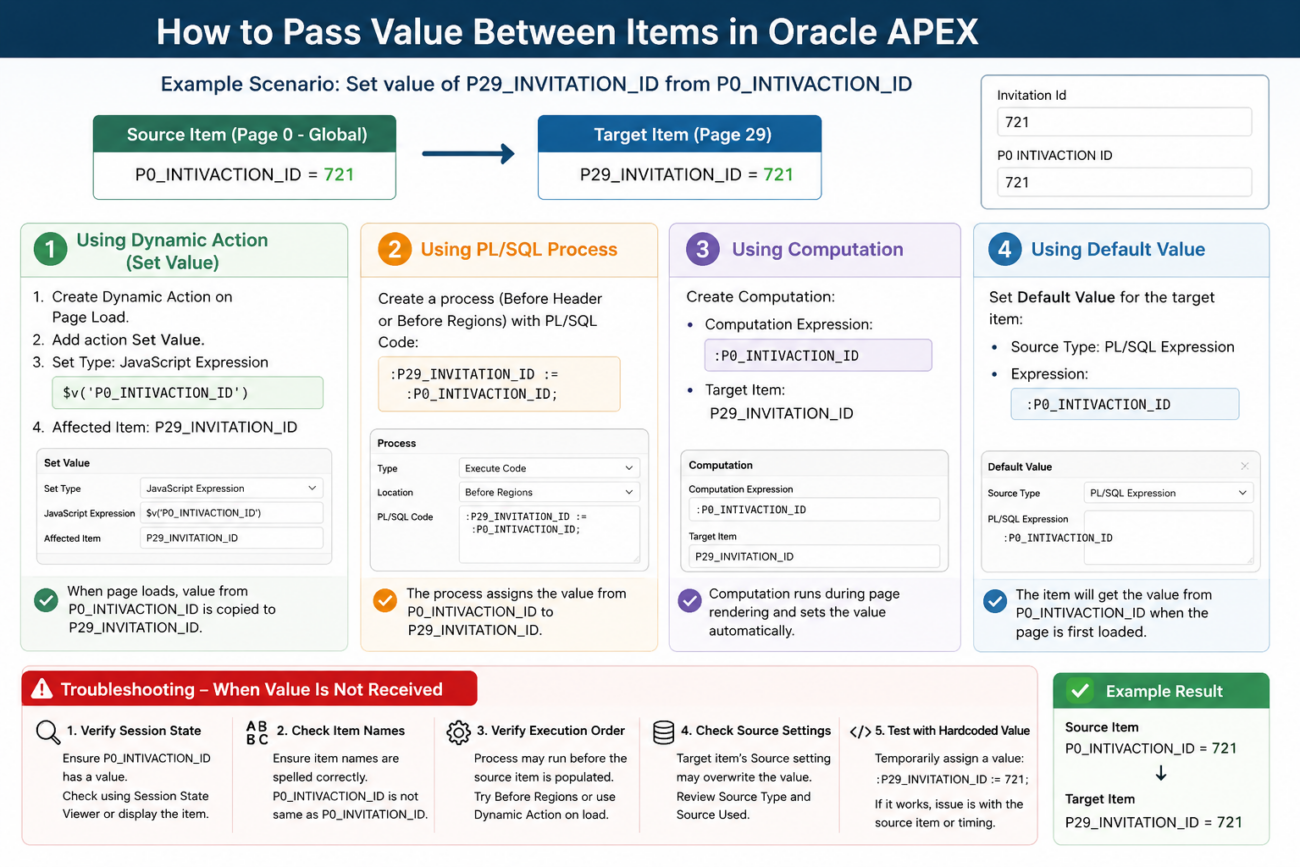
While developing applications in Oracle APEX, we often need to pass values from one page item to another. A common scenario is when a value is stored in a Global Page item (Page 0) and needs to be displayed or used in a page-specific item.
For example:
P0_INTIVACTION_ID
contains the value:
721
and we want to populate:
P29_INVITATION_ID
with the same value.
Method 1: Using Dynamic Action – Set Value
The easiest approach is to use a Dynamic Action.
Steps
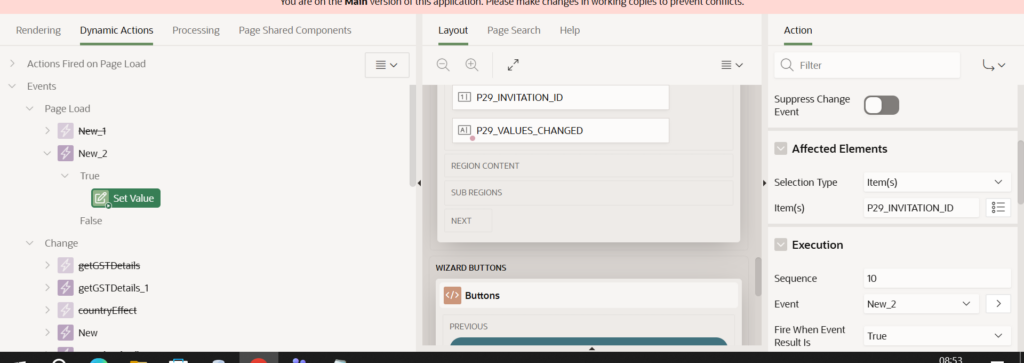
- Create a Dynamic Action on Page Load.
- Add a Set Value action.
- Choose JavaScript Expression as the Set Type.
- Use the following expression:
$v('P0_INTIVACTION_ID')
- Set the affected item:
P29_INVITATION_ID
Result
When the page loads, the value from:
P0_INTIVACTION_ID
is copied into:
P29_INVITATION_ID
Method 2: Using PL/SQL Process
A value can also be assigned using a page process.
Example
:P29_INVITATION_ID := :P0_INTIVACTION_ID;
Recommended Location
- Before Header
- Before Regions
depending on the page requirement.
Method 3: Using Computation
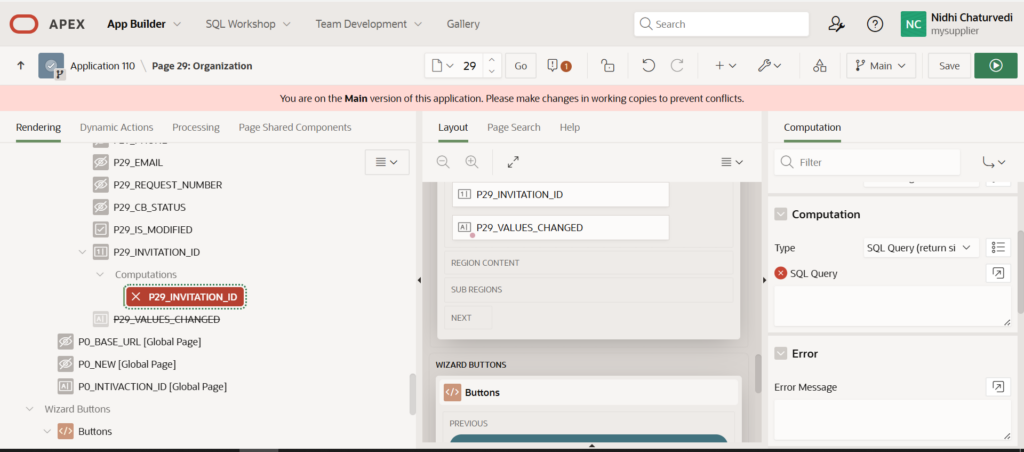
If the value should be automatically calculated during page rendering, use a Computation.
Computation Expression
:P0_INTIVACTION_ID
Target Item
P29_INVITATION_ID
Computations are useful when values need to be assigned before the page is displayed.
Method 4: Using Default Value
When a page item should always receive an initial value from another item, a Default Value can be used.
Item Settings
Source Type:
PL/SQL Expression
Expression:
:P0_INTIVACTION_ID
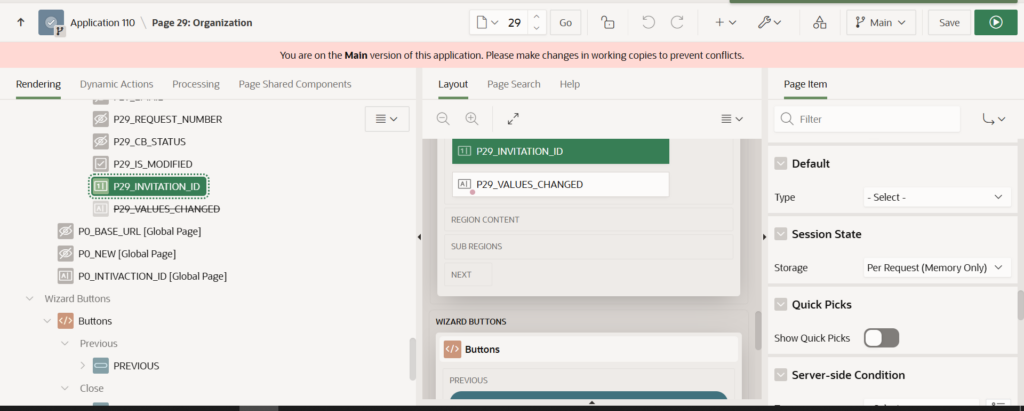
or
v('P0_INTIVACTION_ID')
This approach works well when the item should be populated automatically when the page is first loaded.
Troubleshooting When Value Is Not Received
If the target item remains blank, check the following:
1. Verify Session State
Check whether the source item contains a value:
P0_INTIVACTION_ID
Use Session State Viewer or display the item temporarily on the page.
2. Check Item Names
Ensure item names are spelled correctly.
Example:
P0_INTIVACTION_ID
is different from:
P0_INVITATION_ID
3. Verify Execution Order
Sometimes a process executes before the source item is populated.
Try moving the process to:
Before Regions
or use a Dynamic Action after page load.
4. Check Source Settings
A page item’s Source setting may overwrite the assigned value.
Review:
Source Type
Source Used
for the target item.
5. Test with a Hardcoded Value
Assign a temporary value:
:P29_INVITATION_ID := 721;
If this works, the issue is with the source item rather than the target item.
Example Scenario
Source Item:
P0_INTIVACTION_ID = 721
Dynamic Action:
$v('P0_INTIVACTION_ID')
Target Item:
P29_INVITATION_ID
Output:
P29_INVITATION_ID = 721
Conclusion
Oracle APEX provides multiple ways to transfer values between page items, including Dynamic Actions, PL/SQL Processes, Computations, and Default Values. For client-side population, the JavaScript expression:
$v('P0_INTIVACTION_ID')
is often the simplest solution. When values are not received, checking session state, execution order, and item source settings usually helps identify the issue quickly.